Understanding Shipping Rules
Shipping Rules are predictions which determine which courier and service should be used to send out each order within an Order Channel.
Last updated About 2 hours ago
Shipping Rules are grouped into Zones by destination country. Additional rules can be added to each Zone to apply specific couriers or services to orders meeting a set criteria. For example, using next day delivery for UK orders over a certain value, or using a specific courier for heavy orders in the USA. Rules can also be linked to options within an integrated sales platform.
Accessing Shipping Settings
Shipping Rules can be accessed from your Company Settings. Company Settings are only available to users with the appropriate permissions on their account.
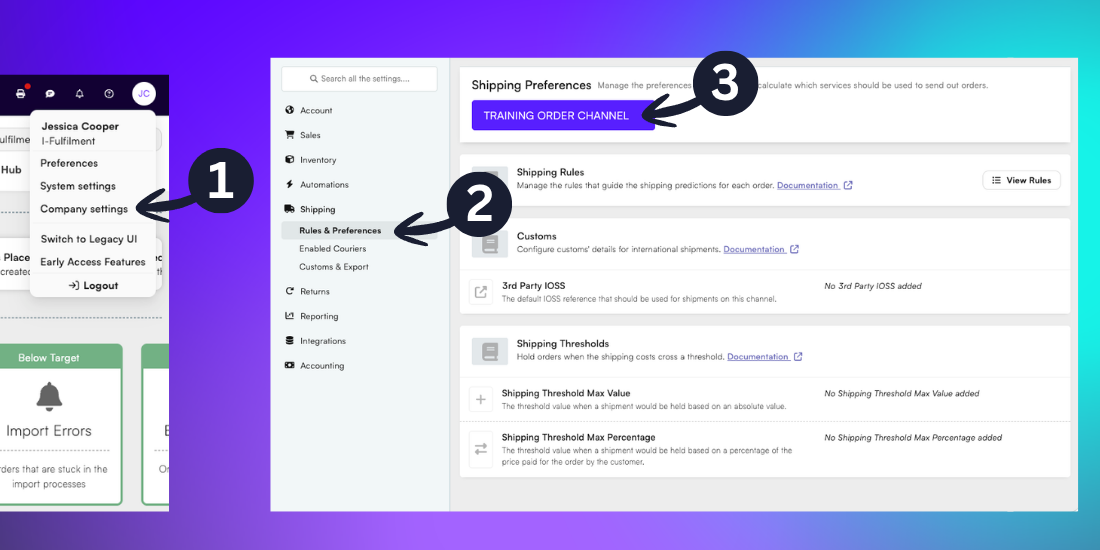
Click the profile icon in the top-right of BladePRO to open the settings menu. Then select Company Settings.
Expand the Shipping heading from the left menu, then select Rules & Preferences.
Use the dropdown option to select the chosen Order Channel.
Viewing Shipping Rules
Shipping Rules can be viewed for each warehouse that fulfills orders under that channel.
Note: The Shipping Rules page is view only. If you wish to make changes to your Shipping Rules you should complete a Shipping Rules Change Request form via the Client Portal. This will be reviewed by the Shipping & Logistics team before any changes are confirmed.
If your Order Channel uses multiple warehouses, select the warehouse to view the Shipping Rules from the tab menu.
The destination countries for each zone are displayed in the Countries list.
Additional rules are triggered from top to bottom, so if an order falls under multiple rules the highest rule would be triggered.
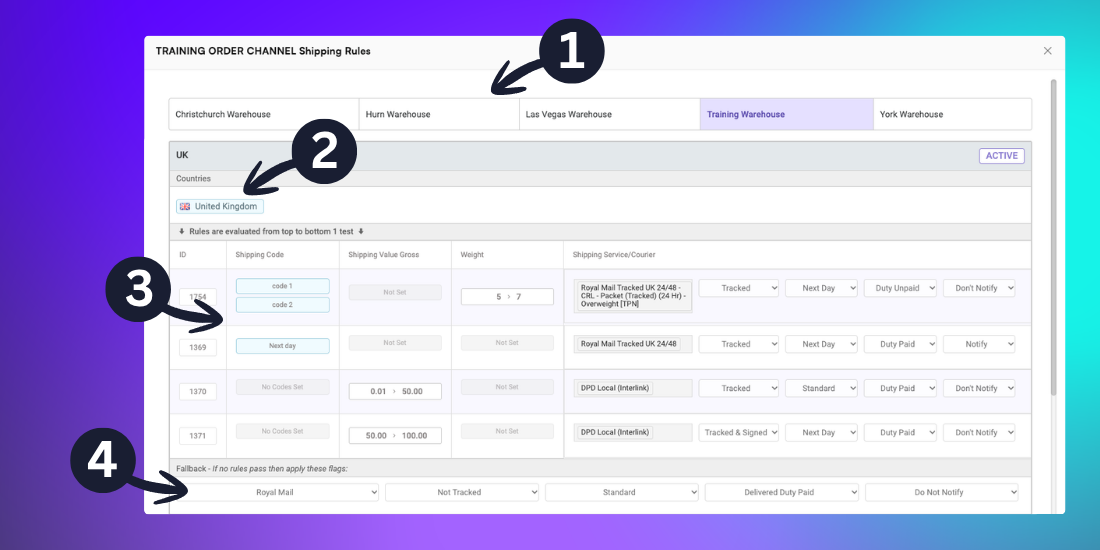
Rules can be set according to:
The Shipping Code from the sales platform
The Gross Shipping Value according to the listed value of the SKUs in the order
The Package Weight in kilograms
For each rule, a courier and shipping service can be applied, including options for:
Tracked/Untracked
Next Day/Standard
Duty Unpaid/Duty Paid
Caution: If Delivered Duty Unpaid is selected, the recipient is responsible for import duties, tax and customs fees. The package may be held at customs until any fees are paid, or returned to the sender with additional fees if the fees are unpaid.
If orders to a specified destination country in a Zone does not fall under any set rules, the Fallback is applied. This is a general rule which will apply to all orders which trigger the Fallback. Only one courier and service can be chosen.
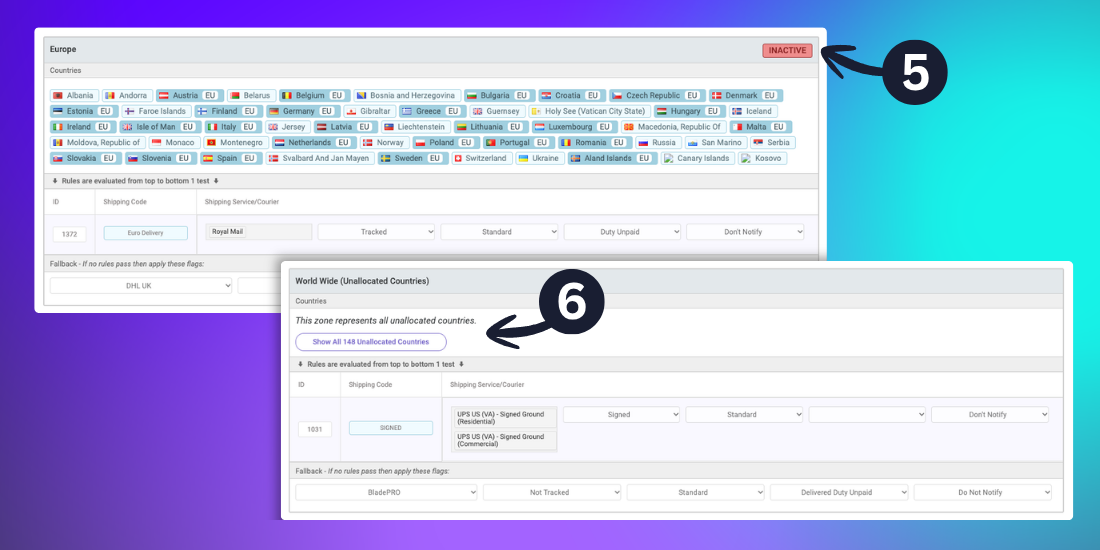
Zones will display as Active or Inactive. Active Zones trigger as normal. Inactive Zones will not trigger unless they are reactivated.
Note: Contact the Shipping & Logistics team for further information on reactivating a Zone.
All other countries not specified within a Zone are captured automatically under the ‘Unallocated Countries’ Zone. Couriers and services can be applied as well as a Fallback.
Related articles
Was this helpful?
Still need help? Share an idea