Updating the shipping address for an order
Address Lookup helps you to find complete shipping addresses using partial information, allowing you to fix invalid addresses that are blocking your orders from processing. This article covers manually changing a shipping address and using the Address Lookup.
Last updated 3 months ago
There are two ways to locate an order which requires address updates, using the Account Health Check page or by searching from the Orders page:
Account Health Check
Navigate to the Account Health Check page by clicking the Home icon in the left menu
Click the Address Issues card to view all orders affected by invalid addresses
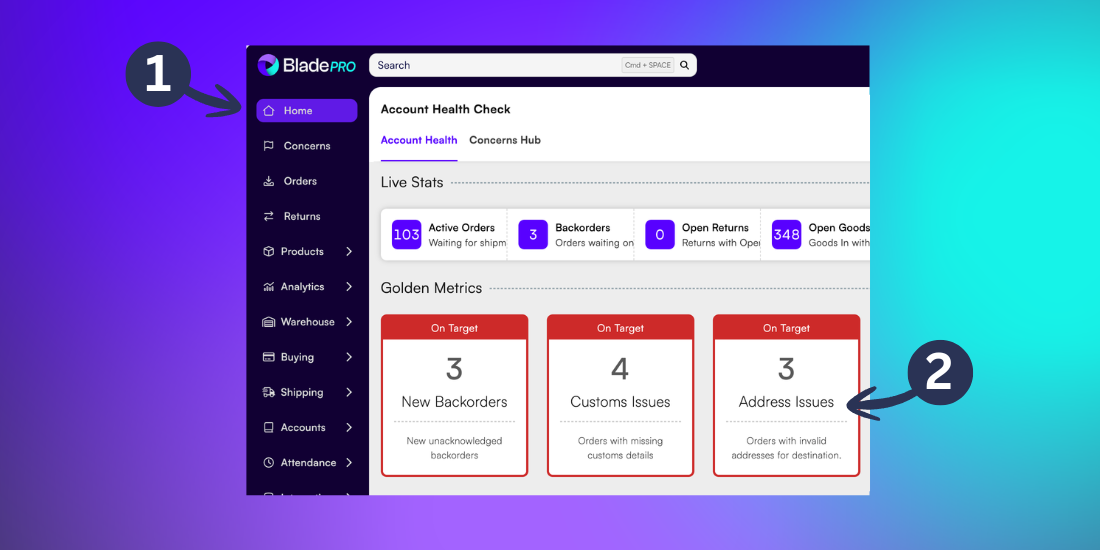
Need help navigating the Account Health Check page? Revisit our support article here.
Orders page
Navigate to the Orders page from the left menu
Search for the order using the Customer Reference, or use the Filter option and select the Invalid Shipping Address tag to view all affected orders
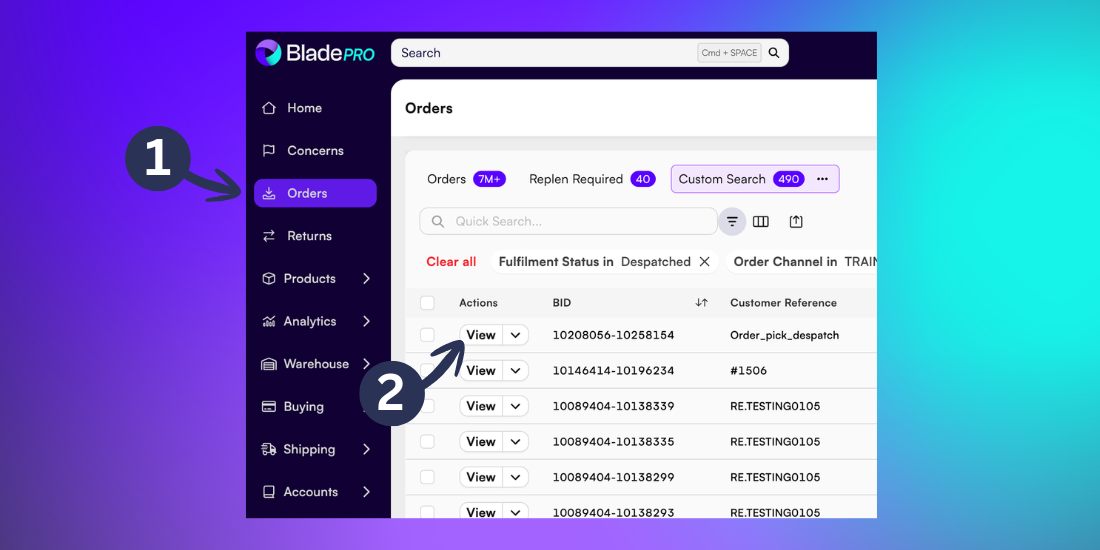
Need help finding the Order List page? Revisit our support article here.
Updating an Address
Once you’ve opened the order, you’ll automatically be in the Address tab.
Click Edit Address. If the correct address is already known, the updated details can be amended in the fields.
Note: There is a 30 character limit per line for all address fields. If delivery instructions were added as part of the address fields for an order, this could cause the address to become invalid due to exceeding the character limit.
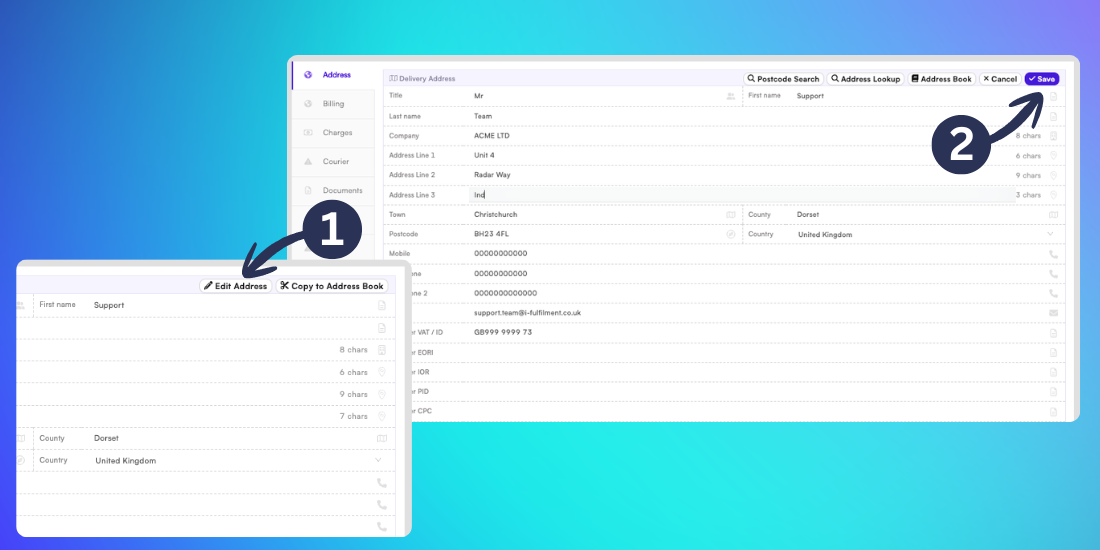
Once you’ve finished making any changes click Save.
Using Address Lookup
If part of the address is unknown, click Edit Address
Then click Address Lookup
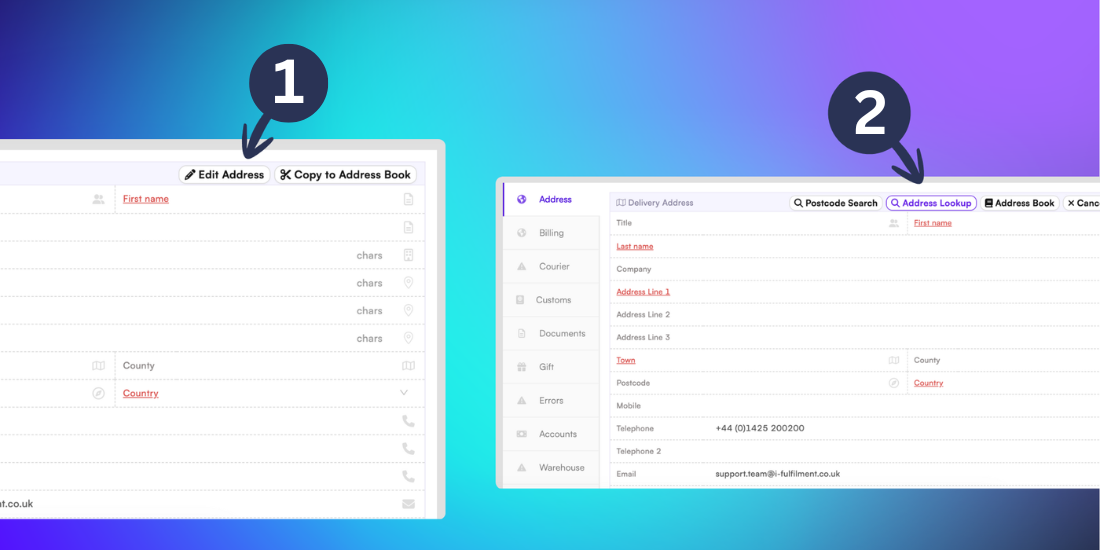
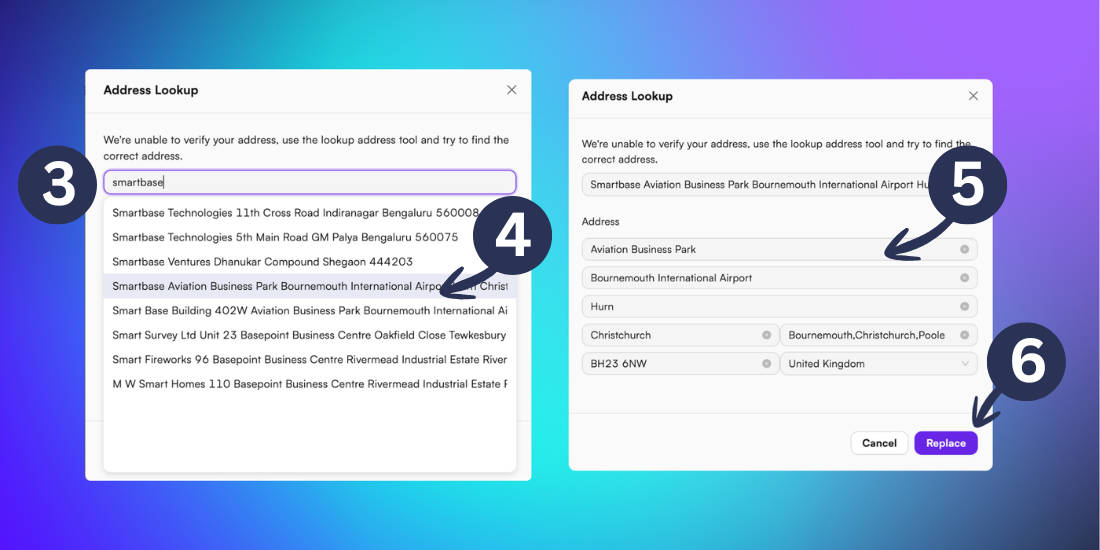
In the popup menu, type any known details about the address into the search bar.
Select the correct address from the search results
Review the populated address details and make any necessary adjustments
Click Replace to update the shipping address
Tip: The more information you enter in the search bar, the more accurate your results will be. Try including the road number, road name and city for best results.
Related articles
Still need help? Share an idea