Adding a Booking-in Required tag to an order
When working with a third party, you might need to provide a Booking-in reference and delivery date prior to despatch. If so this needs to be flagged in BladePRO to prevent delays and unexpected costs.
Last updated 3 months ago
To add a Booking-in required tag you’ll need to open your order from the Orders page by searching or filtering results.
Not sure how to find your order? Revisit our support article here.
Adding a Booking-in Required tag
Once you’ve opened the order, click on the Courier page from the left menu
In the Courier page change the Booking-in Required option to Yes.
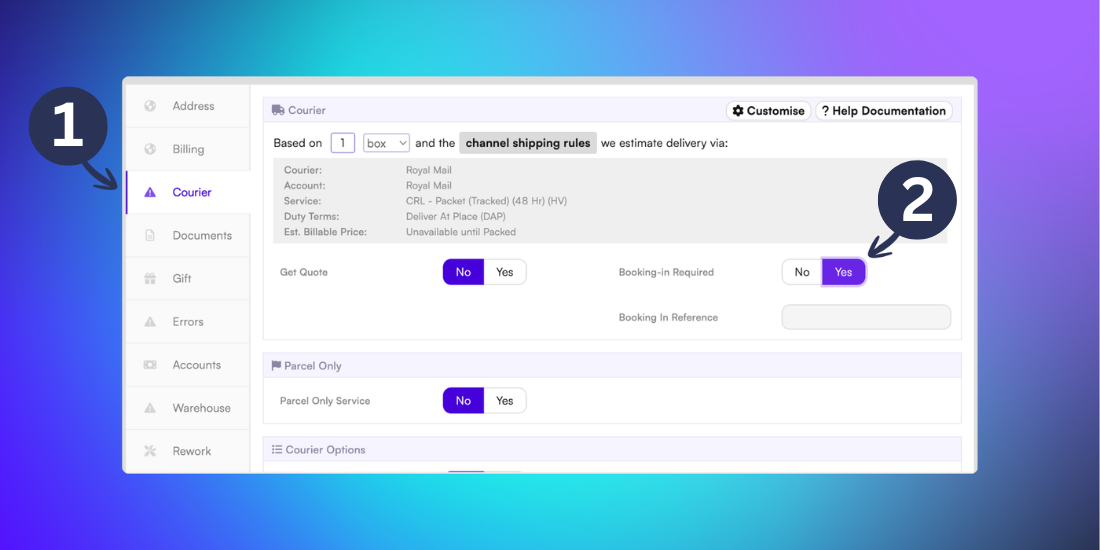
This order will now appear in your Account Health Dashboard, indicating that it needs a booking reference and delivery date before it’s dispatched.
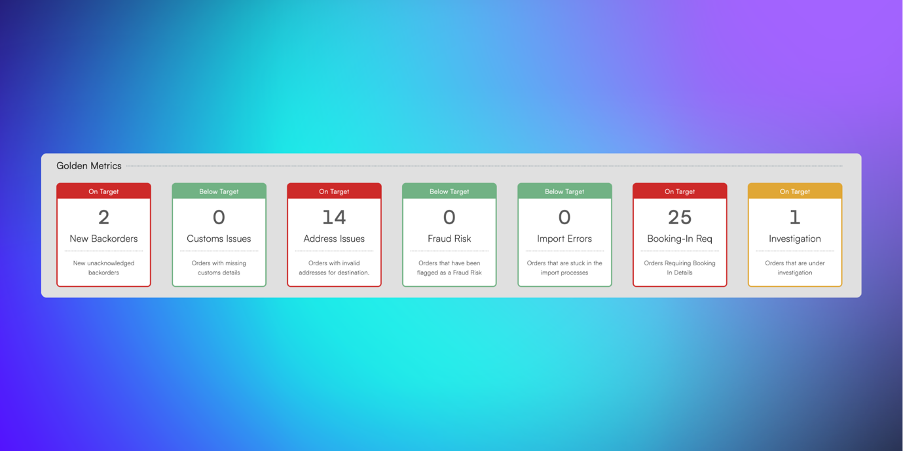
Need a refresher on your Account Health Dashboard? Revisit our support article here.
Related articles
Still need help? Share an idea