Understanding order statuses
All orders in BladePRO are assigned a status depending on what stage they are at in the warehouse cycle. You can locate a specific order from the Orders page.
Last updated 20 days ago
Not sure how to find your order? Revisit our support article here.
Find the status of an order
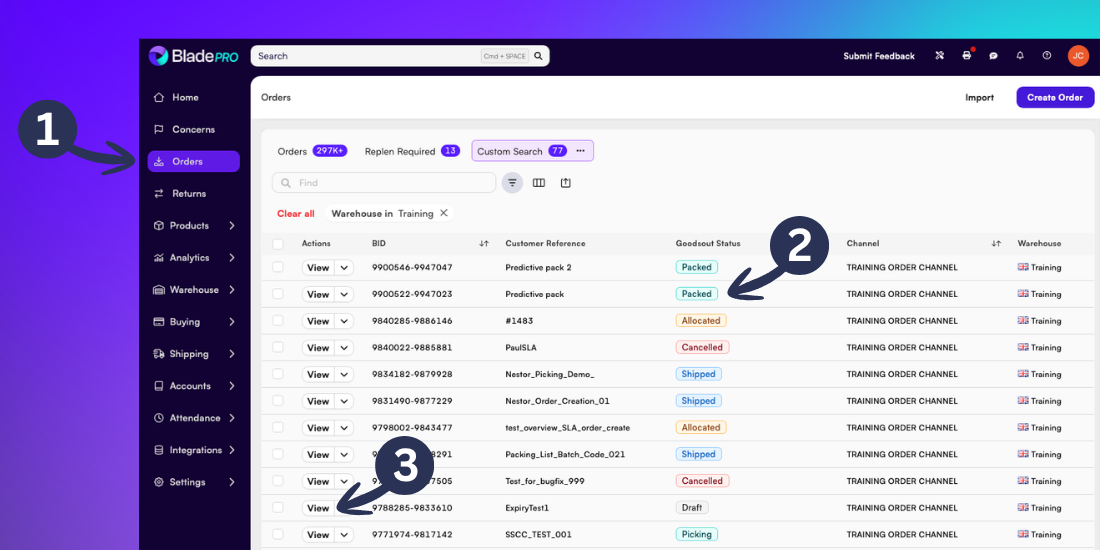
Open the Orders page by selecting Orders from the left menu
View the status of recent orders from the Goodsout Status column
Click View on a specific order after filtering or searching to open the order page
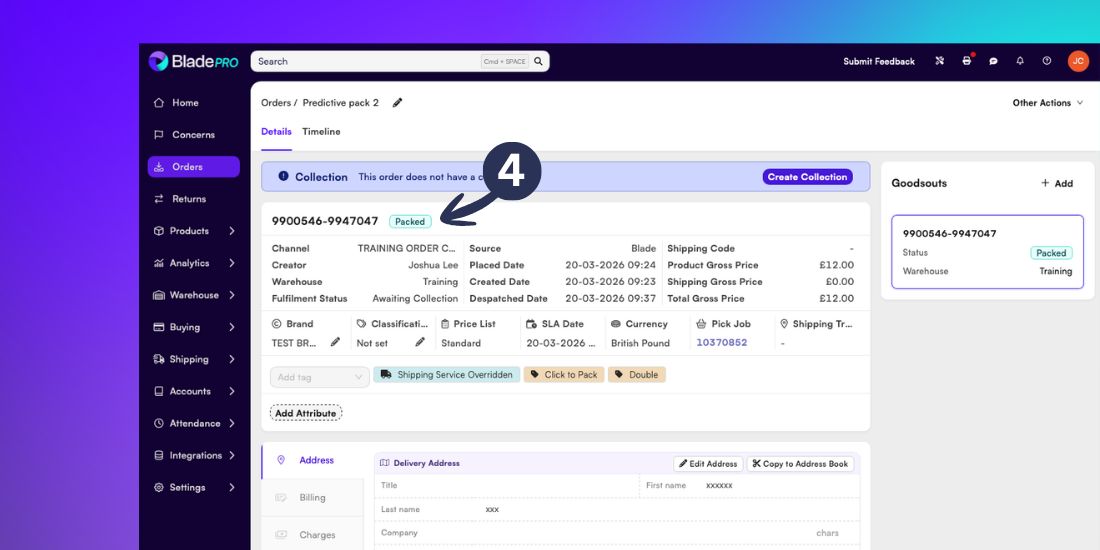
View the status next to the order number
Order statuses table
Related articles
Still need help? Share an idea